Currently, reports are only available for account owners. Collaborator users cannot access these.
Site Listing Report
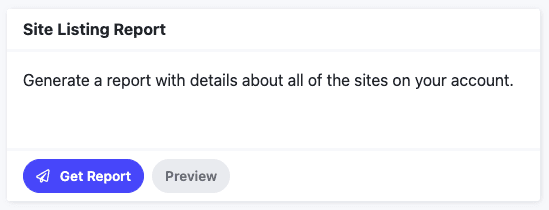
This report, sent in CSV format, includes details about all of the sites on your account.
Details include the following:
ID – Pressable Site ID
Site URL
Site Name
Primary Domain
Site Custom Name (if you’ve added a Display Name to the site)
IP Address #1
IP Address #2
Site State (Live, Disabled, etc.)
Staging Site (True or False)
Data Center
PHP Version
WordPress Version
File System Usage (in bytes)
Database Usage (in bytes)
CDN Enabled (True or False)
Page Views
Unique Page Views
Page Views for the Month
Collaborator Emails
Site Created Date
Clicking the Get Report button for the report will send the report in CSV format to the email address associated with your account, while clicking the Preview button will show a pop-up preview of the report and contents within it (the preview report may have data missing from it that will show within the live report).
Site Usage Report
This report, sent in CSV format, includes usage details from all of the sites on your account.
Details include the following:
Status (Live, Disabled or Removed)
Site ID
Site Name
Unique Visits for last 3 months (Separated by month. Example: September, October, November)
Monthly Storage for last 3 months (Daily average, separated by month. Example: September, October, November)
Current File System Usage (in MB)
Current Database Usage (in MB)
Primary Domain
Clicking the Get Report button for the report will send the report in CSV format to the email address associated with your account, while clicking the Preview button will show a pop-up preview of the report and contents within it (the preview report may have data missing from it that will show within the live report).
The response in JSON format offers insights into site usage during the billing period, including the average usage incurred in that timeframe. Users can access up to 13 months of historical data through this endpoint.
Collaborators Report
This report, sent in CSV format, includes details of all Collaborators on your account.
Details include the following:
Site ID
Site URL
Site Mystaging URL (Example: mysite.mystagingwebsite.com)
Site Name
Site Custom Name (if you’ve added a Display Name to the site)
Clicking the Get Report button for the report will send the report in CSV format to the email address associated with your account, while clicking the Preview button will show a pop-up preview of the report and contents within it (the preview report may have data missing from it that will show within the live report).
DNS Records Report
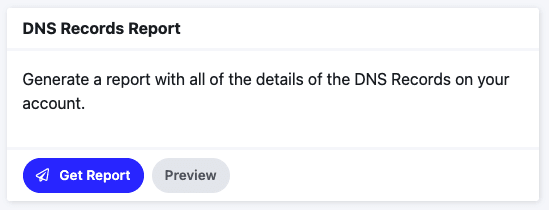
This report, sent in CSV format, includes all of the details of the DNS Records associated with sites in your account.
Details include the following:
Zone
Name
Value
Priority
Weight
Port
TTL
Primary Record
Site ID
Site URL
Site Mystaging URL (Example: mysite.mystagingwebsite.com)
Site Name
Site Custom Name (if you’ve added a Display Name to the site)
Type (Record Type. Examples: A, TXT, MX, etc.)
Clicking the Get Report button for the report will send the report in CSV format to the email address associated with your account, while clicking the Preview button will show a pop-up preview of the report and contents within it (the preview report may have data missing from it that will show within the live report).
Site Performance Report
This report, sent in CSV format, includes information on the performance, theme and plugins data for all sites in your account.
Details include the following:
Site ID
Site Name
Site Custom Name (if you’ve added a Display Name to the site)
Primary Name
MPCP Path
Report Execution Date
Desktop Performance Score
Desktop Accessibility Score
Desktop SEO Score
Desktop First Contentful Paint Score
Desktop First Contentful Paint Value
Desktop Interactive Score
Desktop Interactive Value
Desktop Speed Index Score
Desktop Speed Index Value
Desktop Total Blocking Time Score
Desktop Total Blocking Time Value
Desktop Largest Contentful Paint Score
Desktop Largest Contentful Paint Value
Desktop Cumulative Layout Shift Score
Desktop Cumulative Layout Shift Value
Mobile Performance Score
Mobile Accessibility Score
Mobile SEO Score
Mobile First Contentful Paint Score
Mobile First Contentful Paint Value
Mobile Interactive Score
Mobile Interactive Value
Mobile Speed Index Score
Mobile Speed Index Value
Mobile Total Blocking Time Score
Mobile Total Blocking Time Value
Mobile Largest Contentful Paint Score
Mobile Largest Contentful Paint Value
Mobile Cumulative Layout Shift Score
Mobile Cumulative Layout Shift Value
Theme Name
Theme Version
Plugins (including plugin versions)
Clicking the Get Report button for the report will send the report in CSV format to the email address associated with your account, while clicking the Preview button will show a pop-up preview of the report and contents within it (the preview report may have data missing from it that will show within the live report).